


Summary
Admin can mute or unmute players on a Rust server. Rust servers can attract attention from different players, including those looking for opportunities to grieve or harass others.
Banning a Player may not always be the solution in cases like these.
Luckily, server moderators can take action against troublemakers with the chat commands.
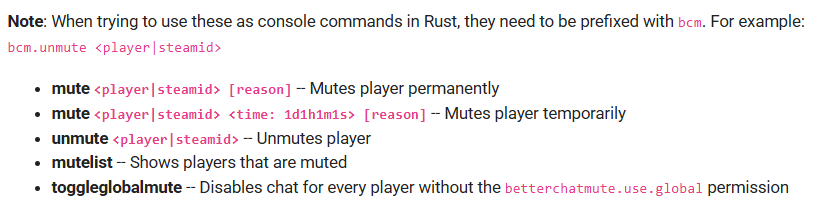
The mute command will prevent a player from typing on the server.
NOTE: For this, you will need a chat management plugin, such as Better Chat Mute.
Download Better Chat Mute.
Need help setting up your Rust server?
Rust Modding offers professional Rust server setup, custom plugins, and full configuration services. If you want a stable and unique Rust server, explore our services here.