1. Update the Rust Server
The server will not be listed on the community or modded lists if the server is outdated. To update the server on the BisectHosting Games panel, simply restart the server.
2. Update Oxide/uMod
3. Shorten the Name of the Server
If the display name for a server is too long or contains special characters, it may not show on public lists. Try shortening the name or clearing it and entering a new name entirely.
4. Clear the Steam Cache
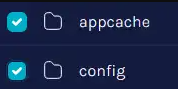
The steam cache can be cleared by going to the /home/container/Steam folder in the File Manager. From here, delete the appcache and config folders.
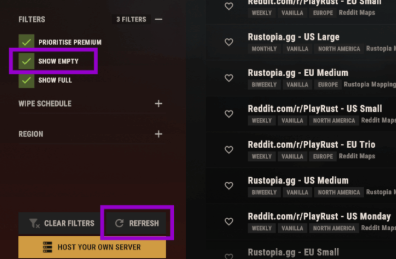
5. Check the server search filters in the game.
A common issue occurs when there are no players online on your server — if your server currently has fewer than 1 player online, you need to enable the option to show empty servers.