
Summary
Resetting player data on a Rust server can be necessary to fix game-breaking bugs, address server performance issues, or provide a fresh start for the community.
Resetting player data deletes all progress, items, and structures created by players on the server, and everyone starts from scratch.
It can benefit the server community by allowing players to begin anew with a level playing field.
- 1. Go to your server control panel.
- 2. Stop the server.
- 3. Go to the Files tab.
- 4. Find the following directory: /home/container/server/rust .

- 5. Select any unwanted player.db files.
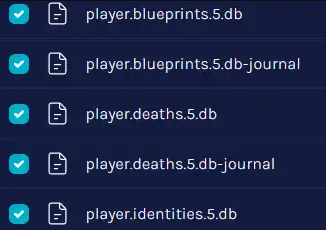
- 6.Select the Delete button.
- 7. Start the server.
