


Summary
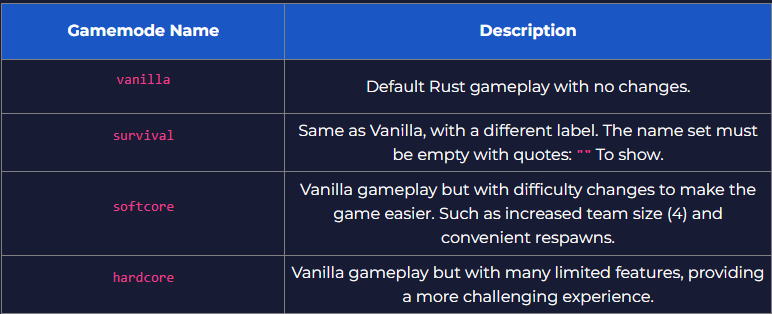
How to change Rust server gamemode ? Rust servers have a handful of gamemodes available for users to pick from. These gamemodes are some form of evolution from the vanilla Rust gameplay, as they take most aspects from the base game and then apply restrictions or quality-of-life features to make the game harder or easier.
This can make for an enjoyable, relaxed, or tense and challenging experience, covering any gameplay users want on their servers.
| Changing the gamemode on a Rust server will Completely Reset Player Data. Do not switch gamemodes mid-wipe to preserve player inventories. |
- 1. Stop the server.
- 2. Go to the Startup tab.
- 3. Navigate to the Additional Arguments section.
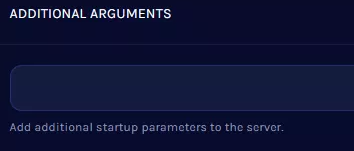
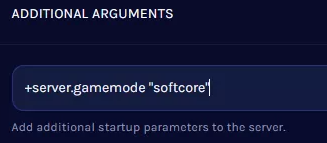
- 4. Enter +server.gamemode "name" using the desired gamemode from the chart below.
- 5. Start the server.
Need help setting up your Rust server?
Rust Modding offers professional Rust server setup, custom plugins, and full configuration services. If you want a stable and unique Rust server, explore our services here.
